Write it once. They see it at the door.

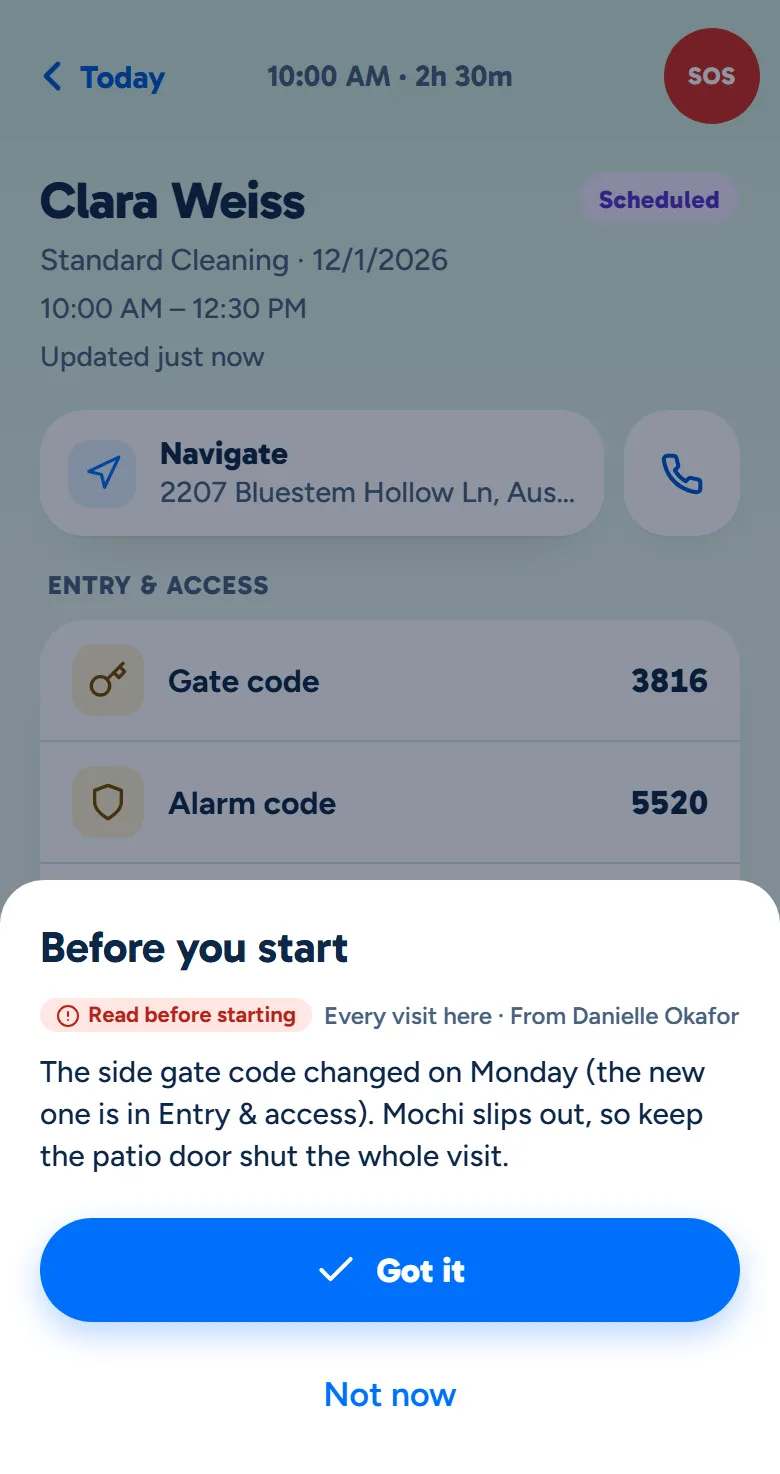
Mark a note must-read and it comes up on your cleaner's phone when they tap Clock in. They tap Got it, and you can see who has read it.

A walkthrough is a call with the people who build WellKept.

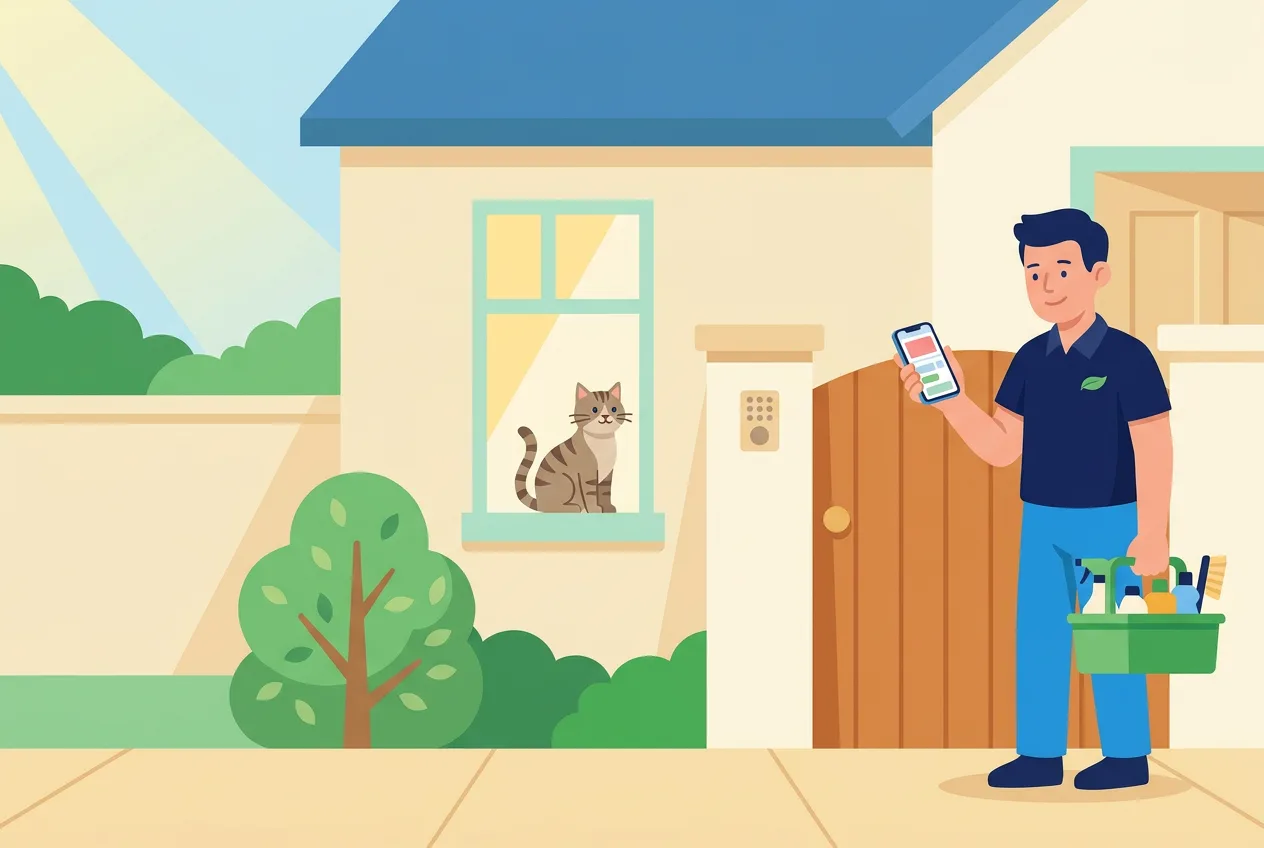
A cleaner at a customer's side gate with his caddy of supplies, reading his phone while the tabby cat looks out of the window
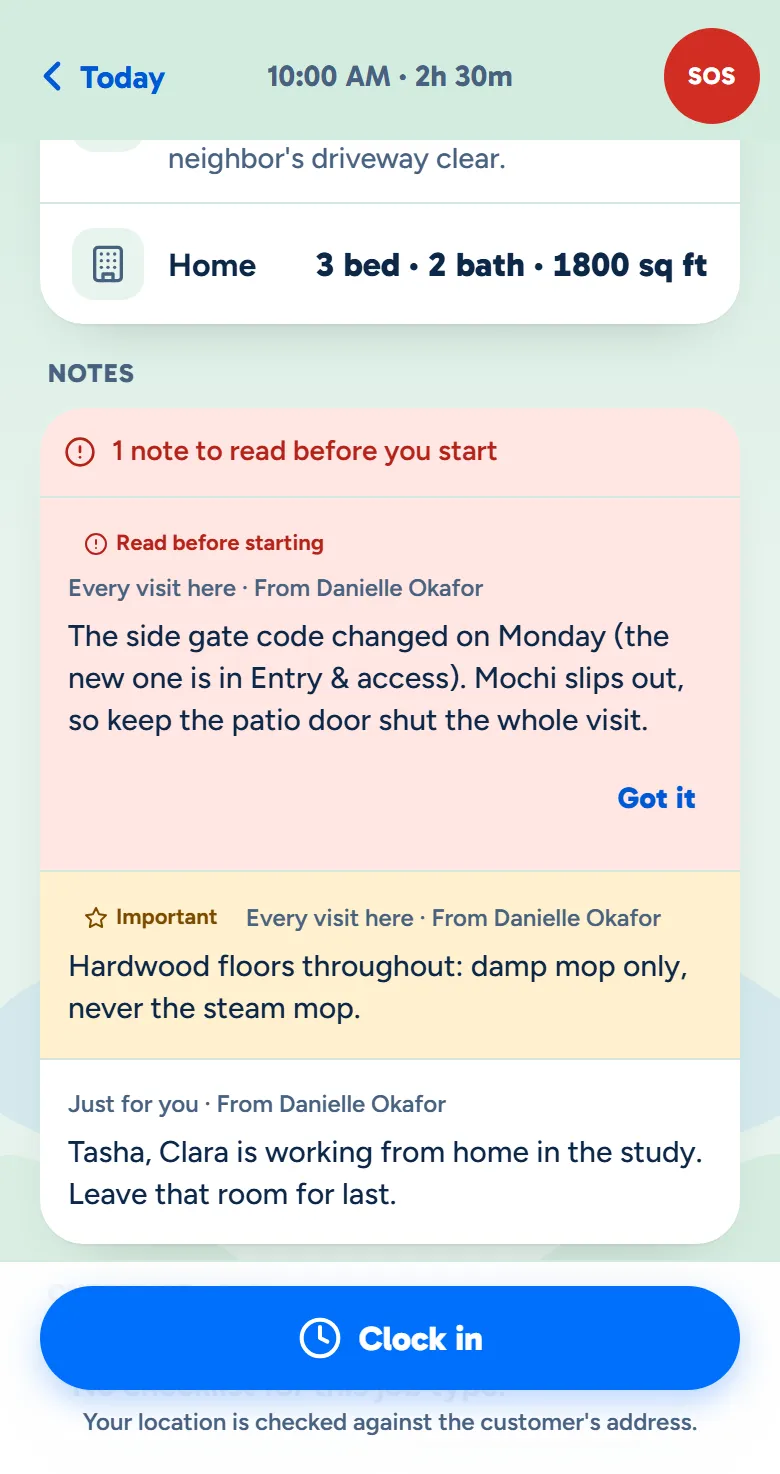
The crew app's Before you start sheet with a must-read note and a Got it button
Example data

Follow one note for one home.

You write it, your cleaner meets it at Clock in, and you see who read it. Tap the dots on the screens to see what each part does. The screens are the real product with example data.

The owner at her desk, typing on her laptop
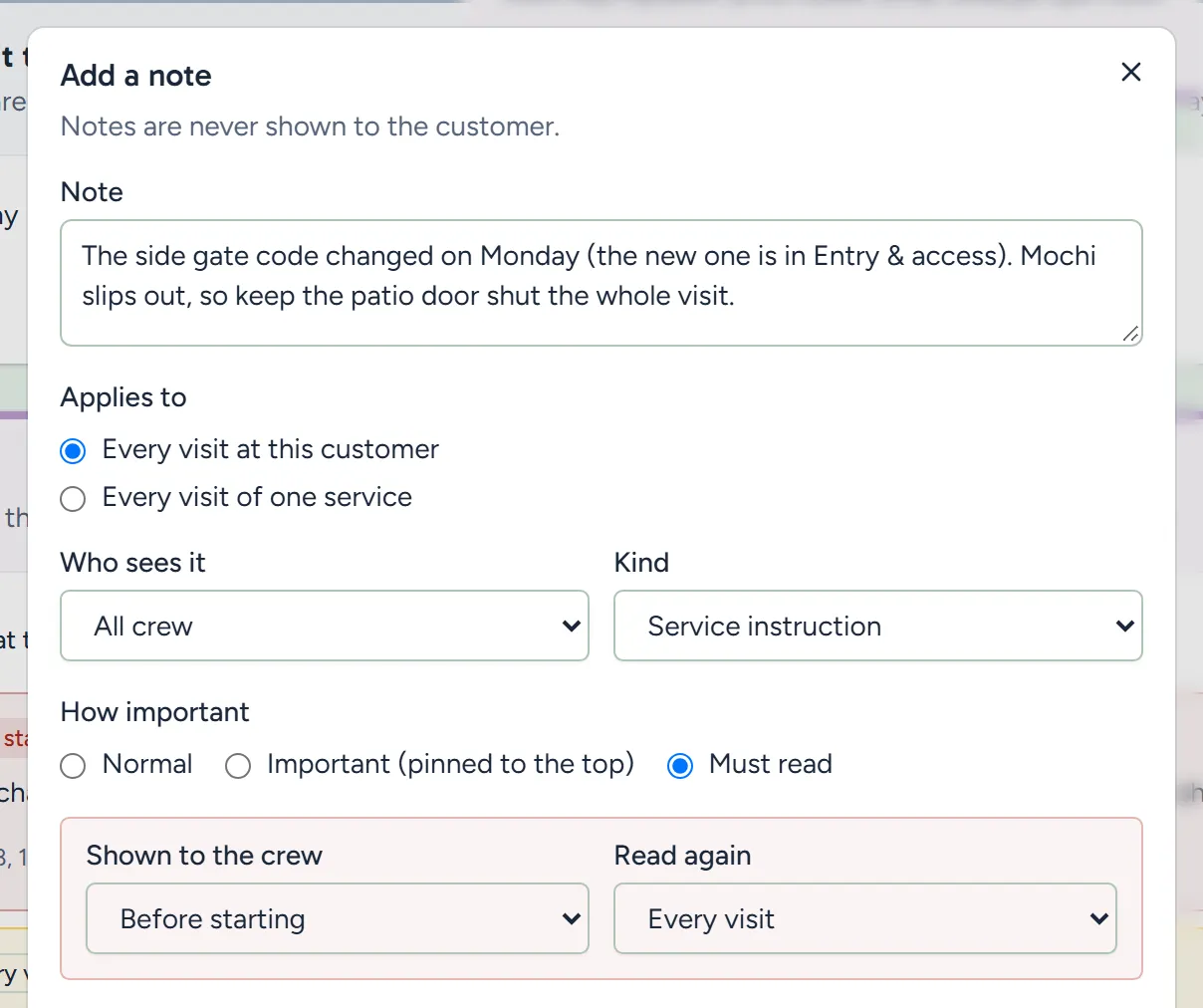
Adding a note in the dashboard: every visit at this customer, all crew, must read before starting, read again every visit
Example data

Write it once

Write it on the customer once, and it's on every visit at that home from then on.

  • The home, one service or one day. Put it on every visit here, on one service, or on a single visit from your schedule.
  • You choose who sees it. All your cleaners, just your leads, only the office, or one cleaner on one visit.
  • Must read, at the start or the finish. It comes up before they start, or before they finish.
  • Never shown to the customer. Notes stay between you and your crew.
A cleaner at a customer's front door with her caddy, checking her phone while the cat watches from the window
A visit in the crew app with one note to read before starting, an important note and a note just for this cleaner, above the Clock in button
Example data

It comes up at Clock in

On the visit, the note waits in red under Notes, right after the way in. When they tap Clock in, it comes up first.

  • Marked on their schedule. A visit with a note to read says so, before they leave for it.
  • One note at a time. Each must-read comes up with its photos and a Got it button.
  • Saved with their name. Their Got it is kept with their name and the time it came in.
  • No signal at the house? Their Got it waits on the phone and goes through when they're back online.
The owner at her kitchen counter with a coffee in one hand, smiling at her laptop, a sunny garden in the window behind her
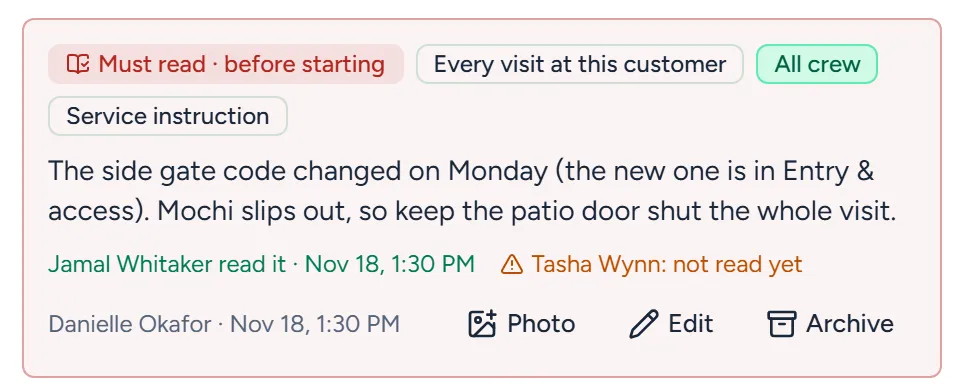
A must-read note on the visit in the dashboard, showing one cleaner read it with the time and one not yet
Example data

See who read it

Open the visit on your schedule in your dashboard: each cleaner on it shows as read, with the time, or not yet.

  • Read, with the time. Everyone who tapped Got it is listed with when it came in.
  • Not read yet. Anyone on the visit who hasn't tapped Got it shows as not read, so you can follow up.
  • Change the words, and it's read again. Edit the words or the photos and everyone reads it again.
  • Archive it when it's done. The crew stops seeing it on their visits.

And the rest, set up your way.

How strict must-read is, the notes your cleaners write themselves, and the codes and pets that come with every visit.

Let them carry on, or hold them at the door.

Works today

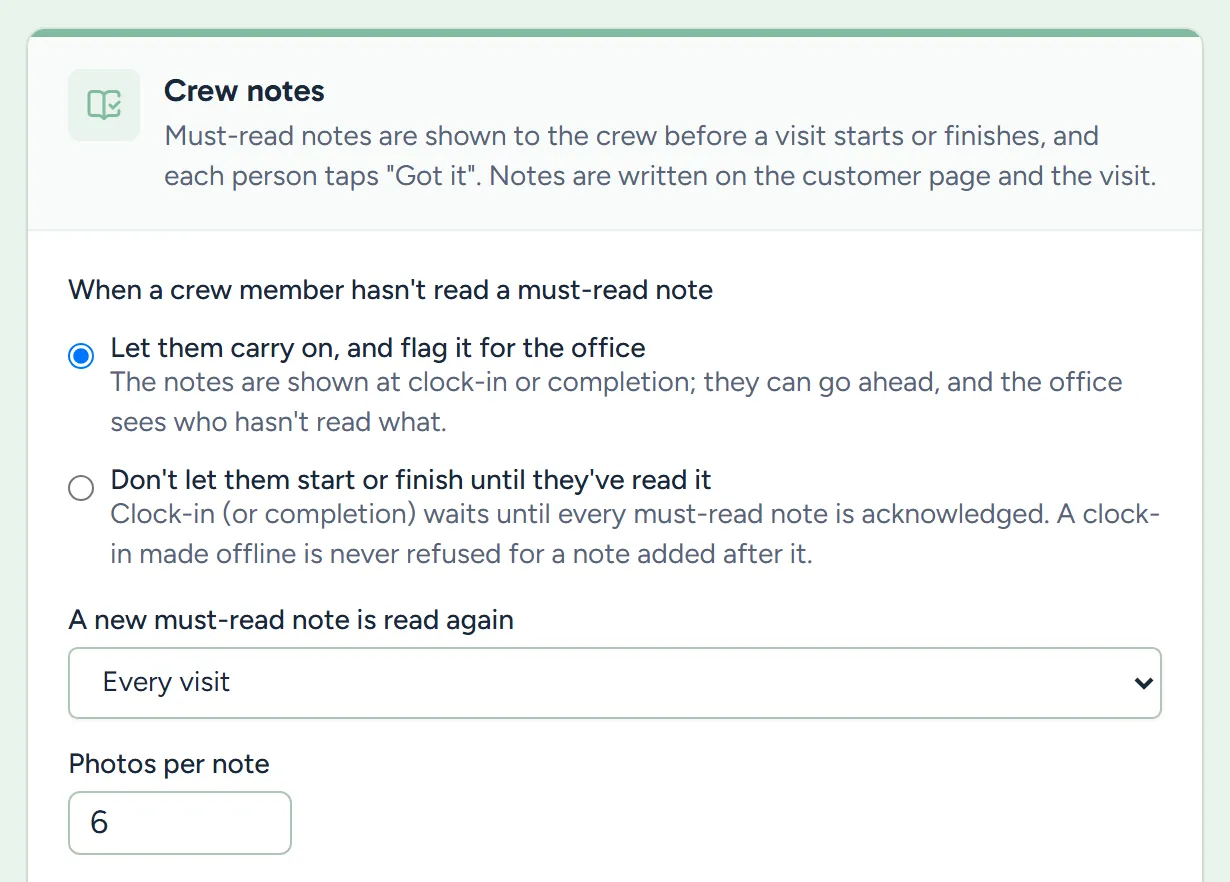
  • Flag it, the default. The note comes up, they can carry on, and you see who hasn't read it.
  • Or hold them. Clock-in, or finishing, waits until they've tapped Got it.
  • Every visit, or once each. Choose whether it's read at every visit, or once per person until it changes.
Settings, Crew notes: let them carry on and flag it, or hold them until they've read it, and how often a note is read again
Settings, Scheduling, Crew notes. Example data.

What owners ask before they count on it.

Can a cleaner skip it?

By default they can tap Not now and carry on, and you see it as not read. If you'd rather, a setting holds the clock-in, or the finish, until they tap Got it.

Can the customer see my notes?

No. Notes are only for you and your crew, and you choose which of your crew see each one.

What if I change the note?

Change its words or its photos and it's marked edited, and anyone who already tapped Got it reads it again the next time it comes up. Changing who sees it, or when it comes up, doesn't ask for a new read.

See it with your own notes.

Tell us the notes your crews can't miss, and we'll show you how they'd come up.

The owner on her porch swing with a coffee at the end of the day while her two cleaners wave from beside the van