Hours. Tips. Bonuses. Added up.

WellKept adds up the visits your crew works: their hours at their rate, their share of the tips, any bonus. You check the run, pay them the way you already do, and mark it paid.

A walkthrough is a call with the people who build WellKept.

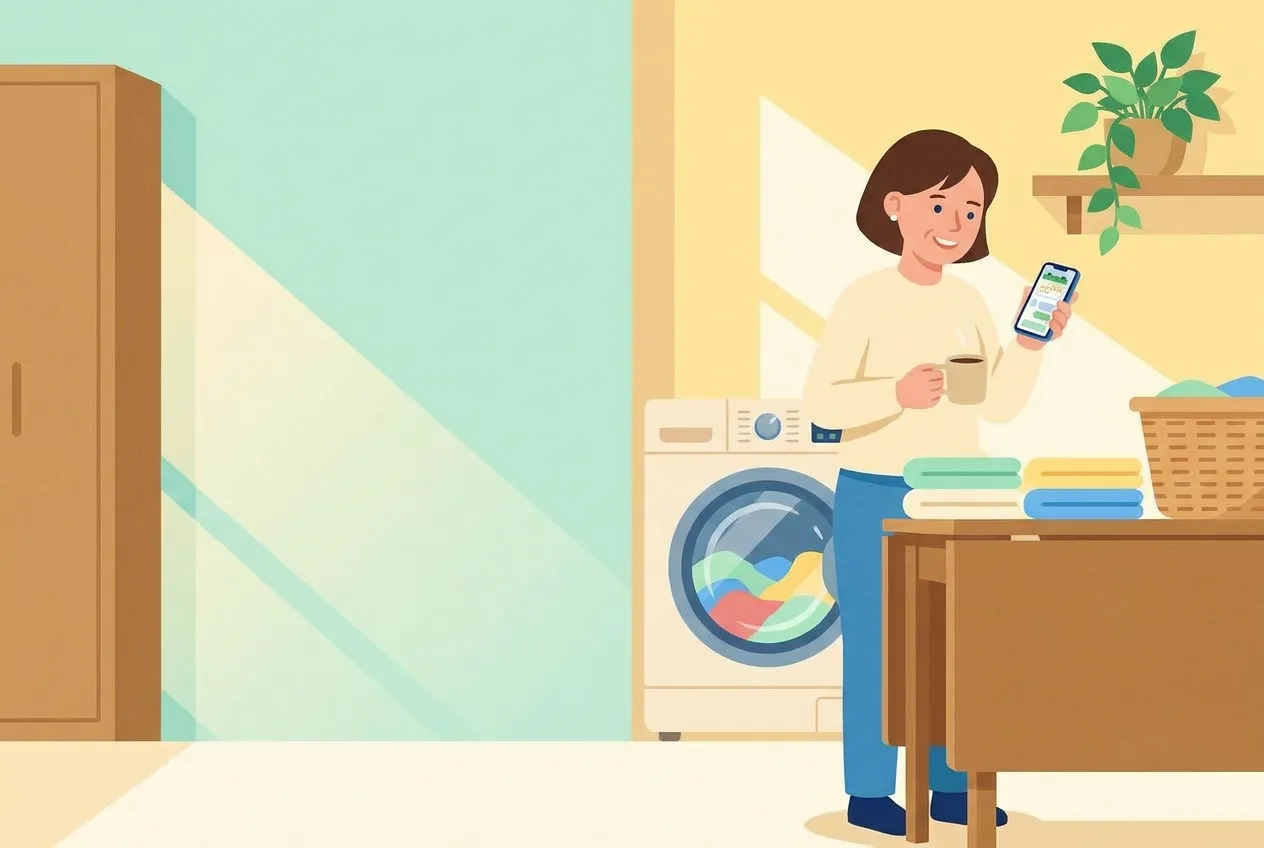
A cleaning company owner in her laundry room with a coffee, smiling at her phone while cloths spin in the washer behind her
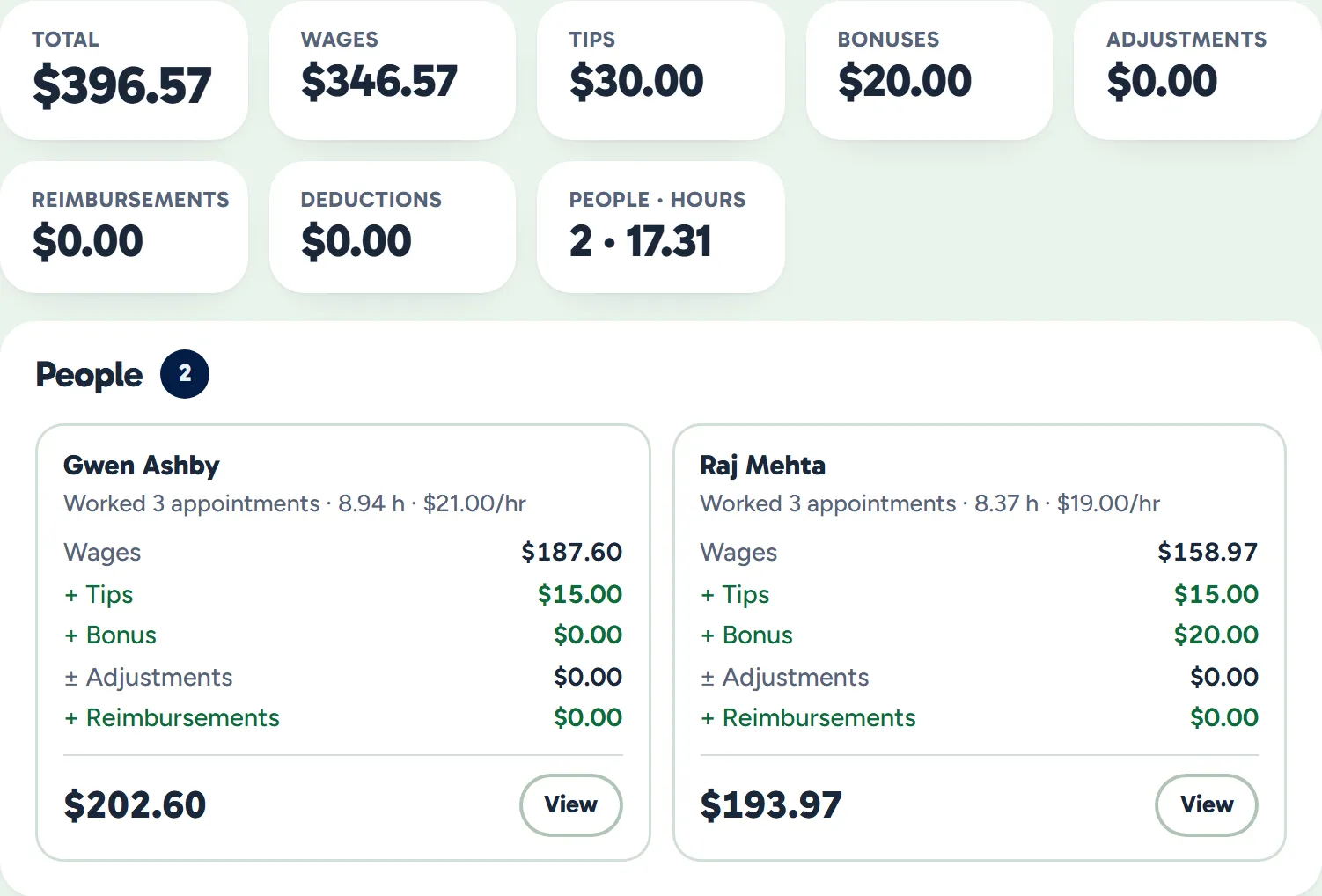
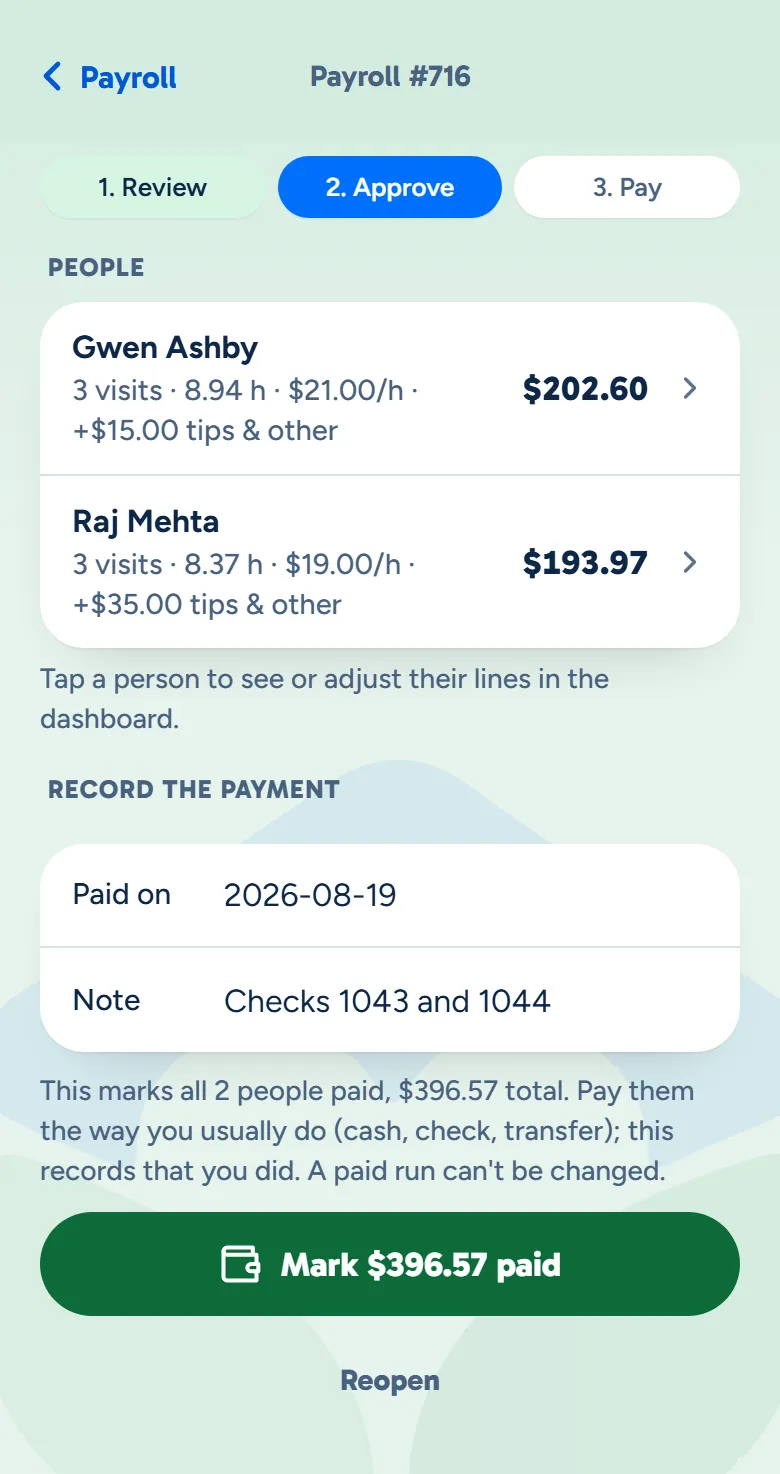
The owner app's pay run: Review, Approve and Pay, each cleaner's visits, hours, rate, tips and bonus, and the button that marks the run paid
Example data

From the last visit to payday.

Here is one week for two cleaners, Gwen and Raj, from their clock to their statement. Tap the dots on the screens to see what each part does. The screens are the real product with example data.

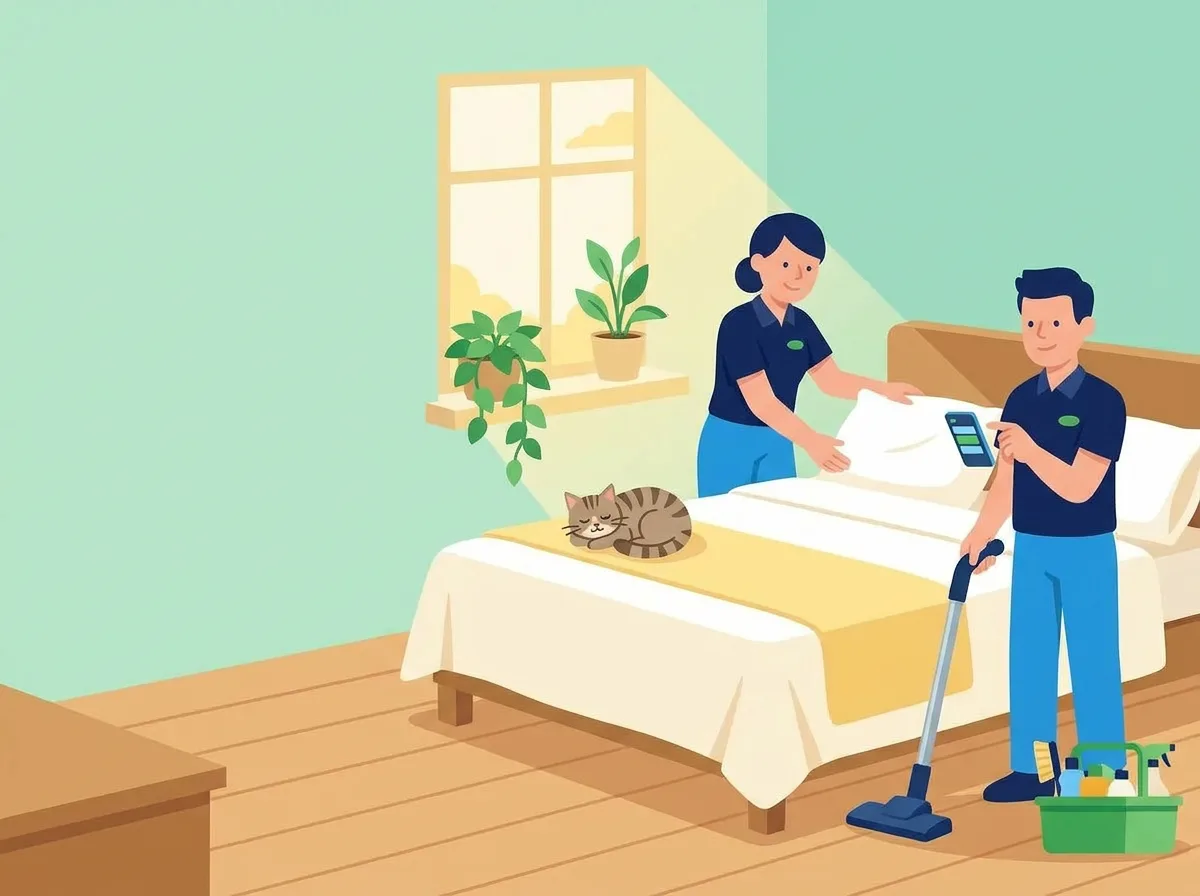
Two cleaners finishing a bedroom together, one smoothing the pillows while the other holds the vacuum and taps his phone, a tabby cat curled on the bed
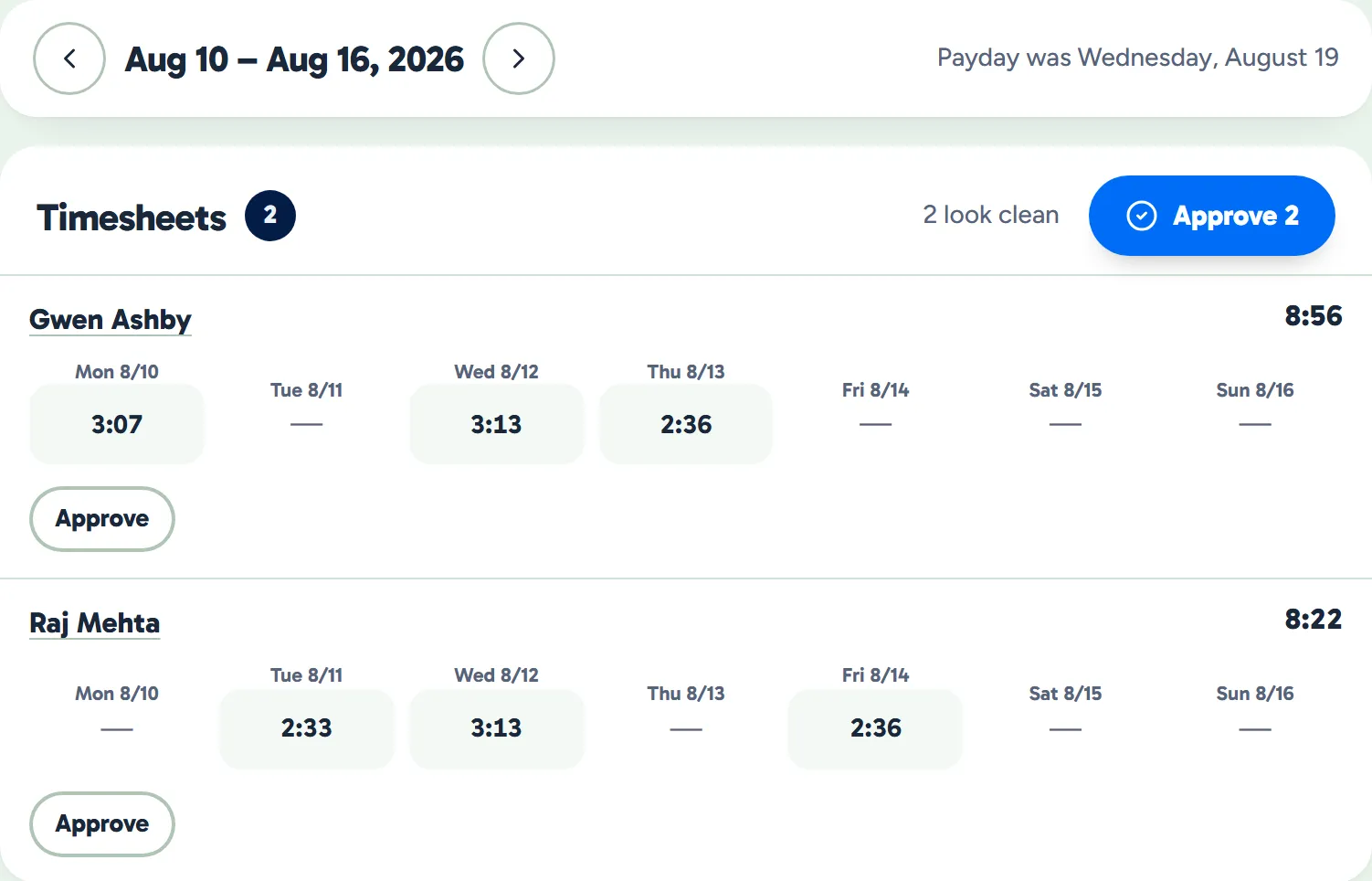
Timesheets for one week: each cleaner's time on the clock for every day, the week's total, and Approve
Example data

It adds up as they work

They clock in and out in the crew app, and each day's time lands on their timesheet.

  • Time on the clock. Each day's hours come from their own taps in the crew app.
  • A wrong time is easy to fix. Change a time or add a forgotten clock-out, with a reason, and the time first recorded is kept.
  • Approve each person's week. A fix made later takes the approval away, so you see it again.
  • Paid the way you count hours. By each person's own clock, the visit's start and end, or the scheduled time, rounded if you like.
The owner at her desk with her laptop open
A pay run's totals and each cleaner's card: wages, their share of the tip, bonus and what they earned
Example data

The run builds itself

When the period ends, run payroll. WellKept builds the wages from the visits, and you add any tips and bonuses before you approve.

  • At the rate they had that day. Each visit is paid at the person's rate on the day it was worked.
  • Tips shared out. A tip on a shared clean is split evenly or by hours worked, whichever you choose.
  • Every line, before you approve. Open anyone's visits, clock times and lines, and add a tip, a bonus, or an adjustment with its reason.
  • Approving locks it. The times behind it lock, and you can reopen it until it's marked paid.
A cleaner on a bench at the end of the day, smiling at what he earned on his phone
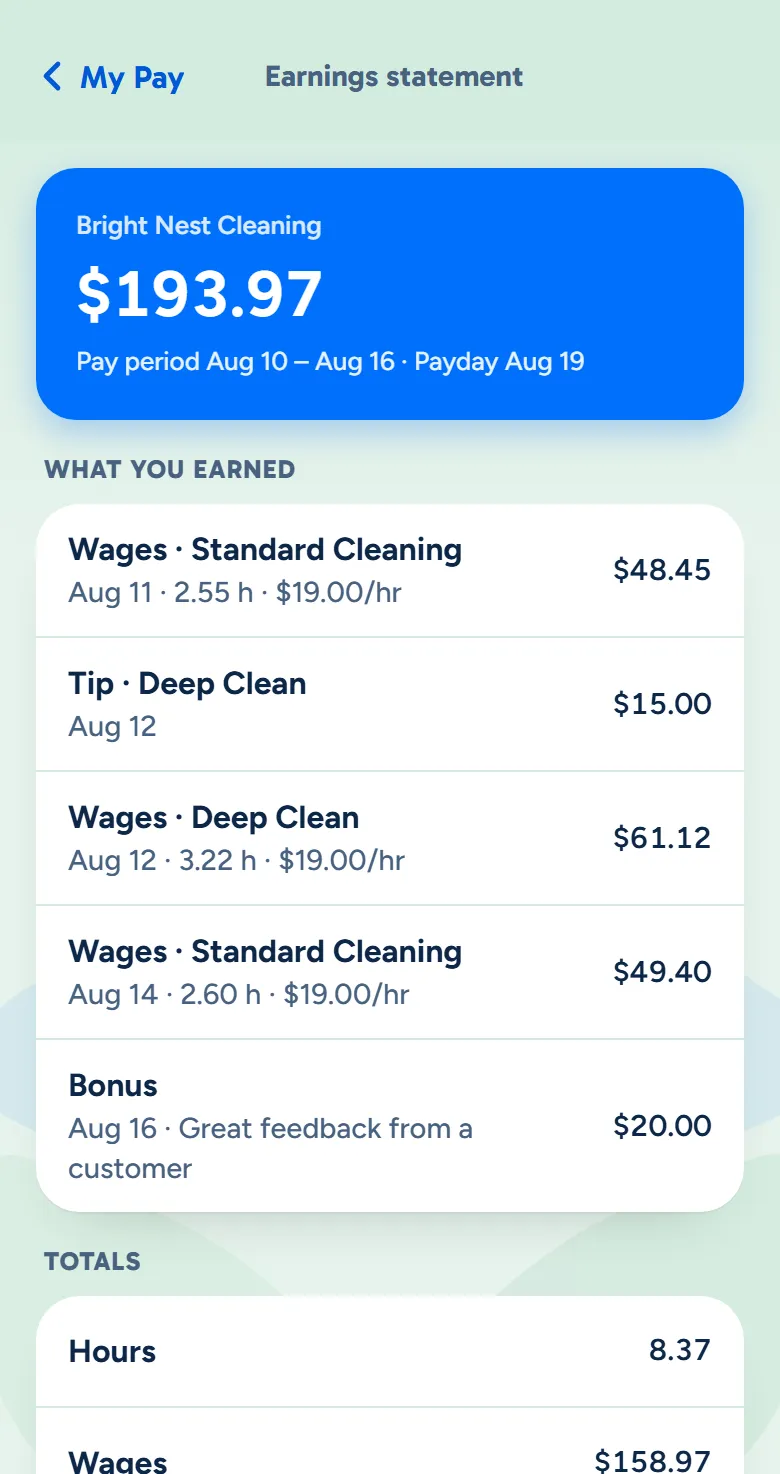
The crew app's earnings statement: the pay period, the payday, and each visit with its hours, rate and tip
Example data

They see what they earned

Once you approve the run, each cleaner can open their earnings statement in the crew app.

  • Line by line. Every visit with its hours and rate, their share of tips, and any bonus.
  • Payday on it. The day from your pay schedule, and the date you paid once you mark it.
  • The year so far. What they've earned this year, at the bottom of each statement.
  • A notification when you've paid. Mark the run paid and they can get one in the crew app.

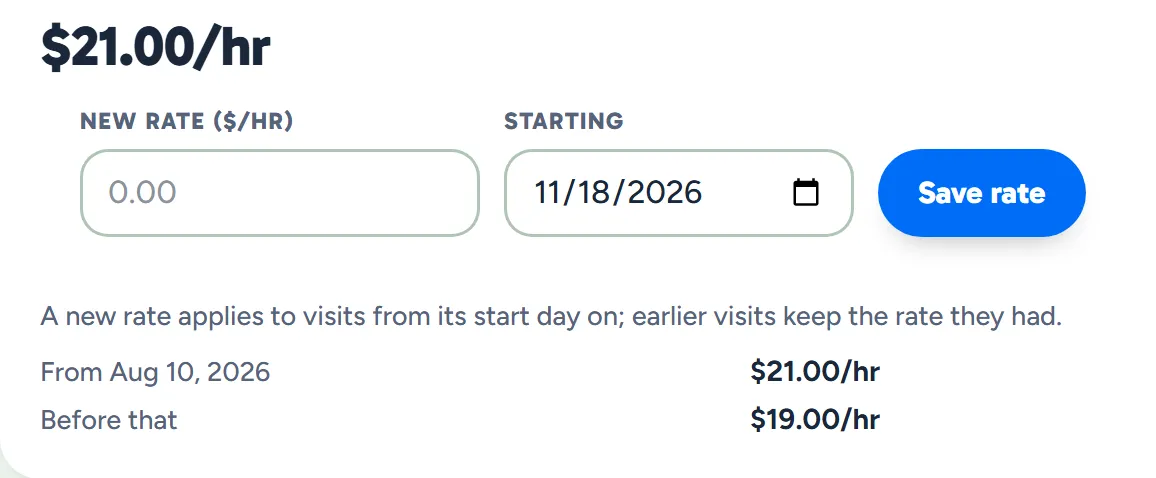
A raise starts the day you choose.

Set the new rate and the day it starts. Visits from that day on are paid at the new rate, even in the middle of a pay period, and earlier visits keep the rate they had.

  • Every rate kept. Each rate and the day it started stay on the person's page, under Pay.
  • Runs already made don't change. A run keeps the figures it was made with.
A cleaner's hourly rate, the form for a new rate and the day it starts, and the history of her rates
Example data

The year's totals, ready in January.

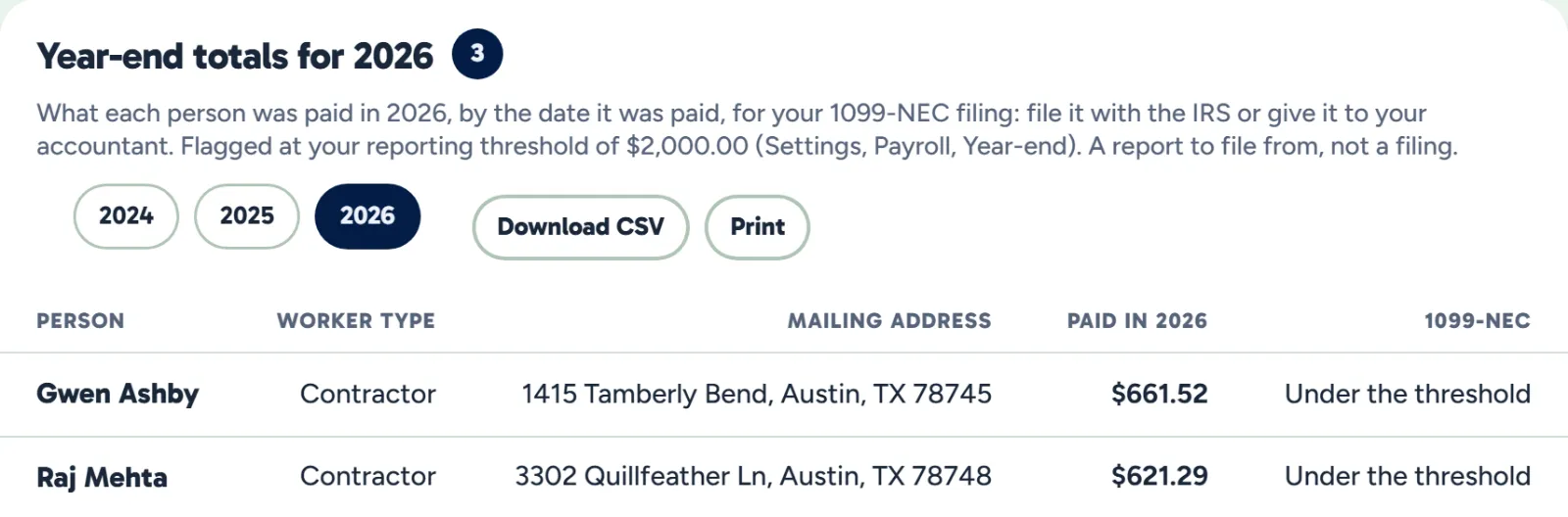
At the end of the year, each person's total is waiting, ready to file from or hand to your accountant.

  • Counted by the date you paid. Each person's total for the calendar year, from the runs marked paid.
  • Flagged at your threshold. Anyone at or over your 1099 reporting threshold is marked, and the threshold is a setting.
  • CSV or print. Download it or print it for your accountant.
  • A report, not a filing. You or your accountant file the forms.
Year-end totals: each person's worker type, mailing address, total paid this year and whether they reach the 1099-NEC threshold
Example data

What owners ask before their first run.

Does WellKept send the money to my crew?

No. You pay them the way you do today, by cash, check or transfer, and mark the run paid. WellKept works out what each person earned, keeps the records and shows them their statement.

How are tips split when two cleaners share a visit?

Evenly by default, or by the hours each one worked if you choose that in Settings, and you can change any share before you save it. Today you add a tip to the pay run when a customer gives one, choosing the cleaning it was for; tips customers add when they pay online come with card payments, which are coming soon.

Do you handle taxes?

No. Everyone is paid as a contractor, so nothing is withheld and statements show amounts before any taxes. At the end of the year you get each person's total to file from.

See your next payday worked out.

Tell us how you pay your crew today and we'll show you a pay run, start to finish.

The owner on her porch swing with a coffee at the end of the day while her two cleaners wave from beside the van