
How did it go? Ask in a click. Earn reviews.

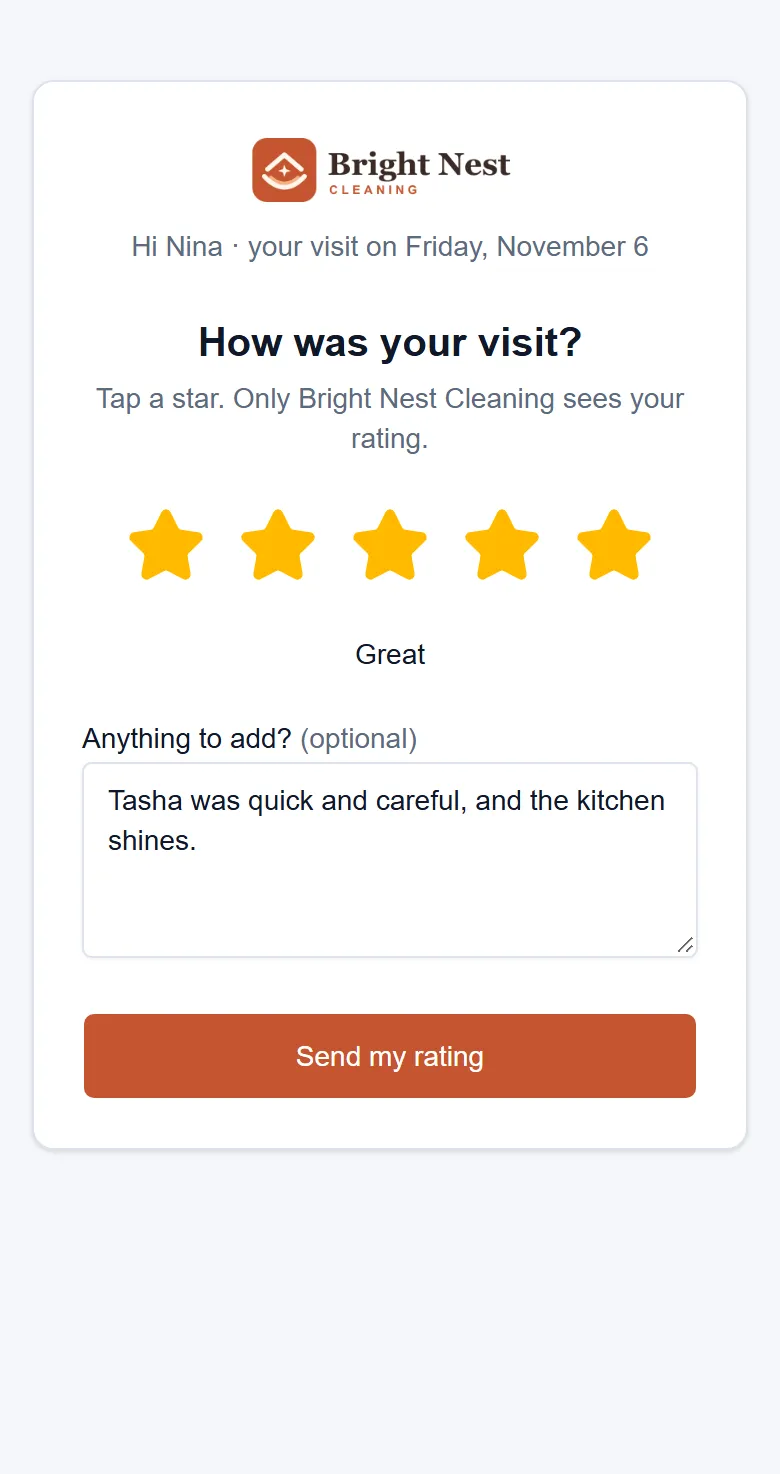
After a clean, send your customer a link to rate it. They pick the stars on their phone, and only your business sees them. Add your Google page and everyone who rates is then asked for a review.

A walkthrough is a call with the people who build WellKept.

A customer in her bright living room smiling at her phone, one hand on the armchair where her tabby cat looks up at her, with the cleaners' van outside the window
The rating page on a customer's phone with five stars chosen and a few words typed
Example data

Ask, listen, then thank the crew.

Here is your side once a clean is done. Tap the dots on the screens to see what each part does. The screens are the real product with example data.

The owner at her desk, working on her laptop
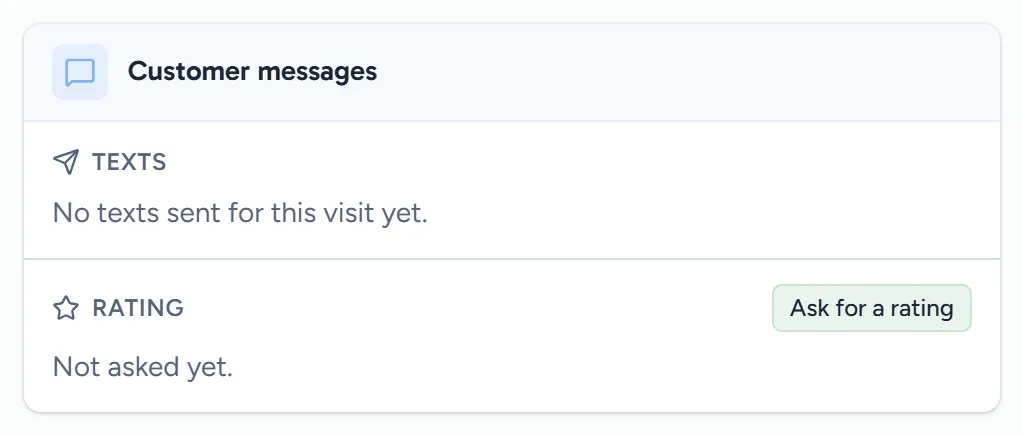
A finished visit's customer messages, with Not asked yet and the Ask for a rating button
Example data

Ask when it's done

Open the finished visit and click Ask for a rating. WellKept sends your customer a link to rate that clean.

  • Texts only with their OK. If they haven't agreed to texts, it can go by email instead.
  • One ask per visit. A visit can only be asked about once, so nobody gets two for the same clean.
  • Nothing to install. Their link works for 30 days, with no app and no password.
The owner at her kitchen table reading her phone while her two cleaners walk up to the house
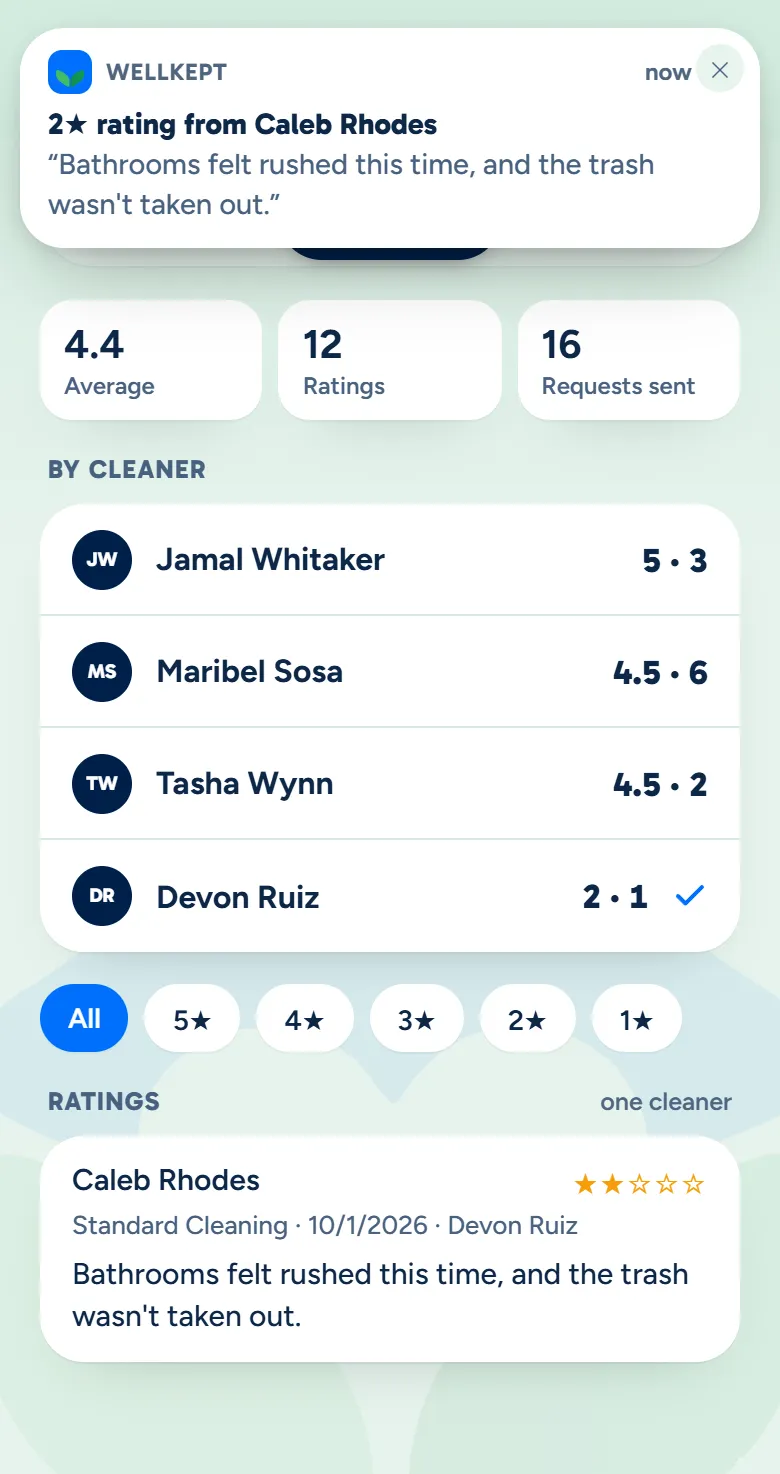
The owner app's Reviews screen with a notification at the top: a two-star rating from Caleb Rhodes
Example data

Hear it from them

A low rating can reach you in the owner app, privately, so you can put it right.

  • You set the line. The owner app can tell you when a rating is at or under it.
  • Every rating in one place. Your average, each score and what they wrote, in the owner app and on your dashboard.
  • Then you put it right. Call them or send someone back. The rating stays private either way.
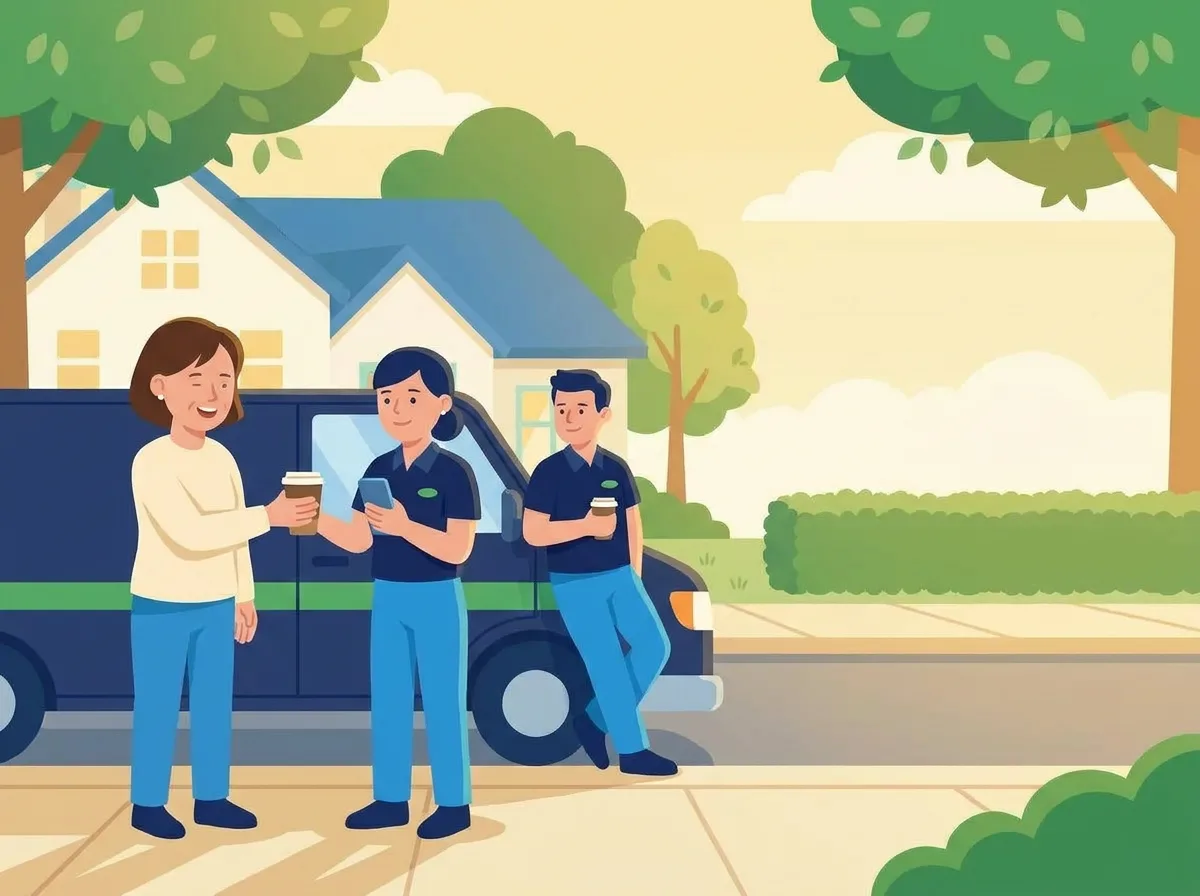
The owner handing one of her cleaners a coffee by the van at the end of the day, while the other cleaner leans on the van with his own
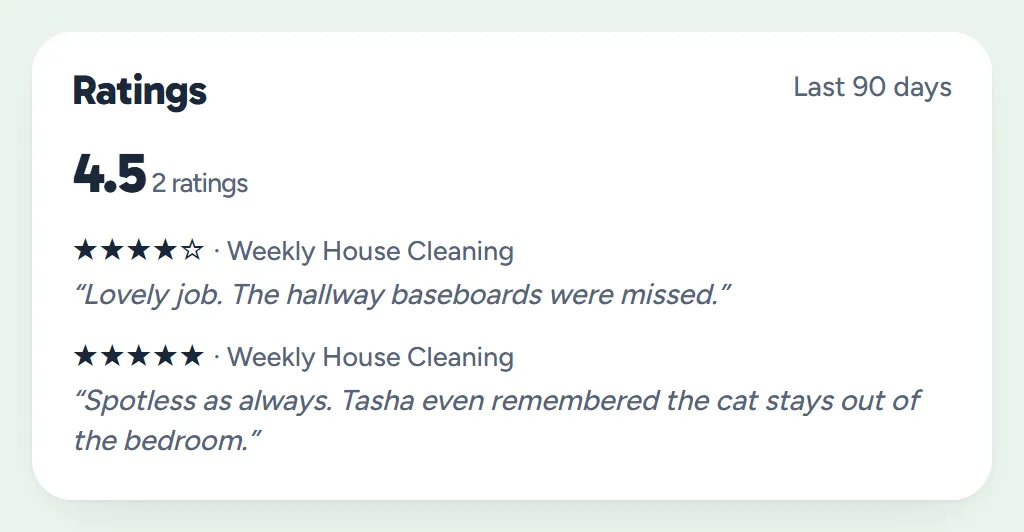
A cleaner's page with her average rating over the last 90 days and the comments from two rated visits
Example data

Thank who did it

Each rating counts for the cleaners on that visit, so you can see who's doing great work.

  • By cleaner. Each person's average and count over the last 90 days.
  • In the customer's words. Read what they wrote, visit by visit.
  • Their own scores, if you like. Turn it on and each cleaner sees their ratings in the crew app, never anyone else's.

Everyone who rates is asked. Not just the happy ones.

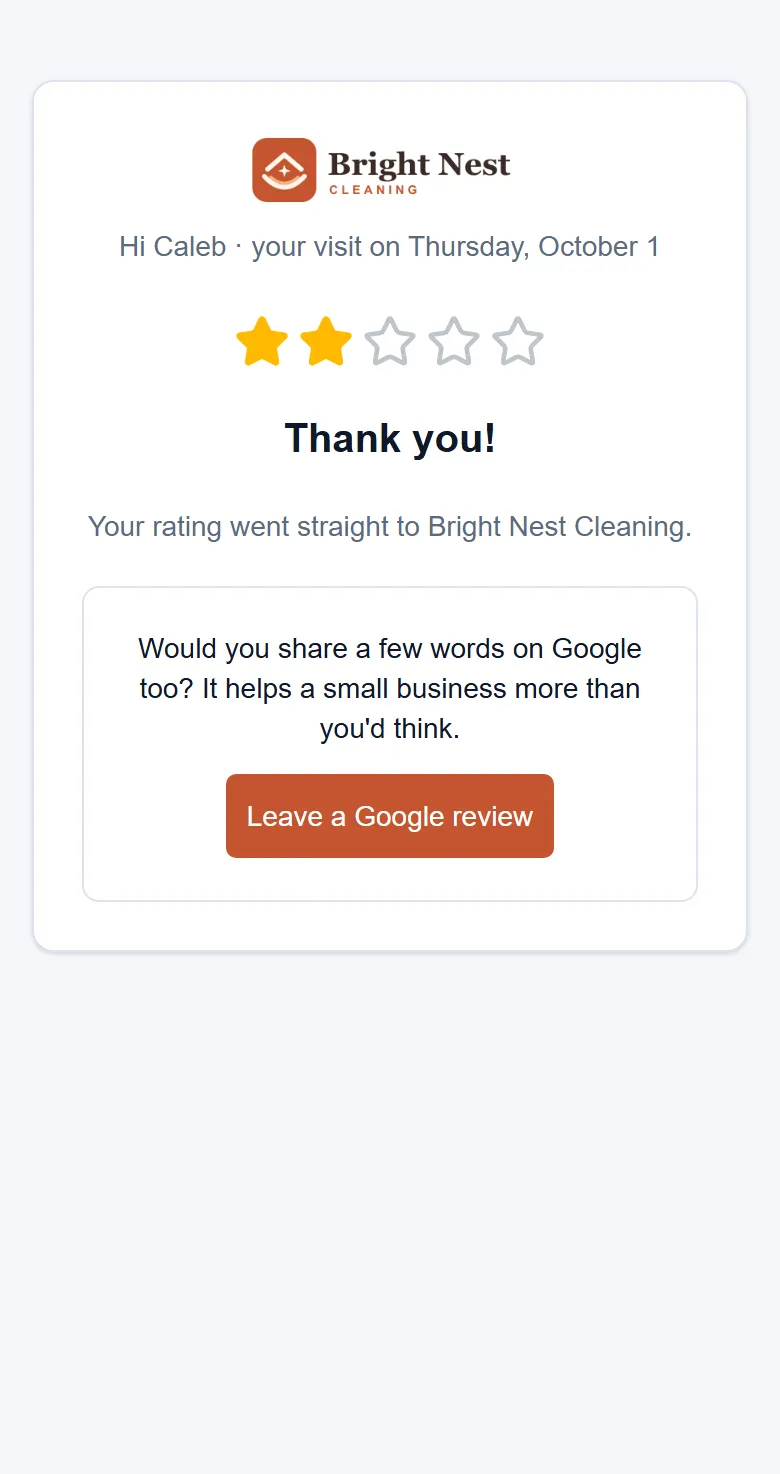
After they rate, every customer sees the same next page, with your Google review link if you've added one. Two stars or five.

  • Google's own rules. Sending only happy customers to Google is called review gating, and Google doesn't allow it.
  • Every score stays with you. Their stars are saved to your Reviews, whether or not they go on to Google.
  • Or keep it private. Leave your Google page out and they only rate you.
The thank-you page after a two-star rating, still offering the business's Google review link
Example data

Set it up once, in your words.

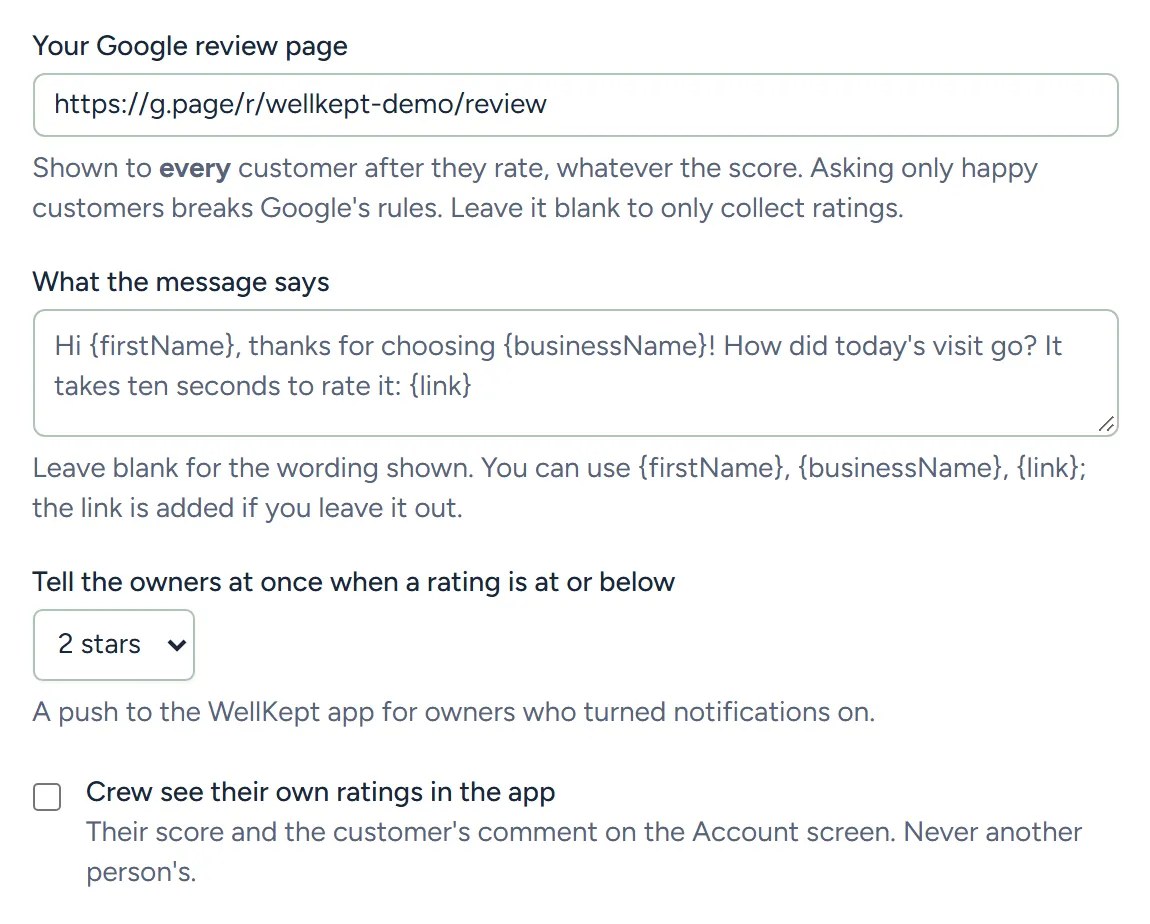
Your Google page, the message you send, when you're told and what your crew can see.

  • The text is yours. Use their first name, your business name and the link, or keep the wording that's there. An emailed ask uses the standard wording.
  • Asking on its own is on its way. A set time after each clean, outside your quiet hours. Until it's switched on for you, you ask with one click.
Settings, Reviews: the Google review page, the message wording, when the owners are told and whether the crew see their ratings
Example data

What owners ask before they try it.

Will unhappy customers end up on Google?

Only if they choose to. With your Google page added, everyone who rates is asked, because asking only happy customers breaks Google's rules. Their stars reach you either way, so you can call them and put it right.

Does it ask on its own?

Not yet. Asking a set time after each clean, outside your quiet hours, is on its way. Until it's switched on for you, open the finished visit and click Ask for a rating.

Can my crew see their ratings?

If you want them to. Turn it on in Settings and each cleaner sees their own average and comments in the crew app. Nobody sees anyone else's.

See it with your own visits.

Tell us how you ask for reviews today and we'll show you how this fits.

The owner on her porch swing with a coffee at the end of the day while her two cleaners wave from beside the van